
Reach & rotate
The rotating base changes the direction of the arm around a fixed mounting point.
Portable. Battery powered. CorkBot.
In its current pen configuration, CorkBot works as a portable pen plotter. Take it in its case, use battery or plug-in power, and let the phone app’s AI prepare a plot for you to review and accept.
Join the free launch list Explore CorkBot
The robot
A pen plotter guides a physical pen along prepared drawing paths. CorkBot brings that process to your workspace in a compact robot with a folding arm, carry handle and transport case.
Start with the pen tool and a drawing. The integrated battery gives you a portable setup, with plug-in power when you want it. More tools and bases are in development around the same core.

Designed for the workbench, with an aluminum structure, integrated battery, and a shared mounting interface for tools.
Current design dimensions. Tool and base configuration affect the working envelope. CorkBot is in development.
Your next project
Explore CorkBot through the work you want to make, the ideas you want to try, and the robotics you want to understand.
Explore the saved-logo workflow for six boxes, from a phone request to a prepared plot you review before starting.
Explore customization Art & makingFind a starting point for pen plotting, artwork preparation, and creative projects with a portable robot.
Explore art & making Robotics learningLook at the scan, surface mesh, artwork placement, and approval steps behind CorkBot’s phone workflow.
Explore robotics learningTools & modules
Explore the roadmap through simulated films of a rotating base, three-axis gripper, and mobile base. These planned modules are in development.
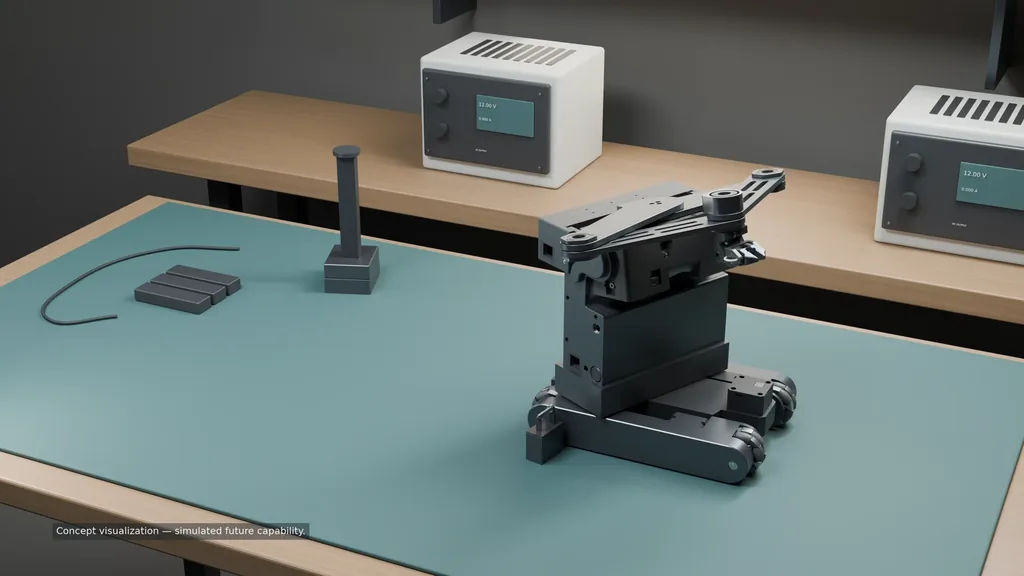
The rotating base changes the direction of the arm around a fixed mounting point.
The three-axis gripper changes the orientation of a part as the arm moves.
Watch the gripper conceptA mobile-base concept explores forward travel and turning between tasks.
Built to travel
Use the current pen configuration on a stable work surface, then fold the arm between projects. Bring CorkBot to your next workspace and choose integrated battery or plug-in power.

The folding arm and carry handle keep the core compact between projects. Pack CorkBot in its case when it’s time to move.
Bring a saved drawing, a place to make, and your phone. The app helps prepare the job; you review and accept the plot before it begins.
See how CorkBot worksThe core robot, planned tools, and base configurations.
The rotating base, gripper, and mobile base are planned modules. Further development depends on funding; concept renders and simulated films show the roadmap. Final features and availability may change.
Phone app + AI
One request starts the preparation. You approve the plot before CorkBot gets to work.
“Use my saved logo on these six boxes.”
The phone app retrieves your artwork, scans and meshes the surfaces, then places the drawing.
Check the prepared plot in the app and accept it. Then CorkBot begins.
Prefer working from your desktop? Prepare drawings, preview paths, and work with your robot in CorkBot Studio.
Software & downloadsYour ideas
Tell us about a project you have in mind or a task you’d like help with. A few words are enough.
CorkBot is in development at Cork Robotics. We’re targeting December 8, 2026 on Kickstarter, with the final package and pricing shared before the campaign opens. Get launch updates or contact us with a question.